Stock & vehicles
Vehicles & Warehouses
Stock lives in places
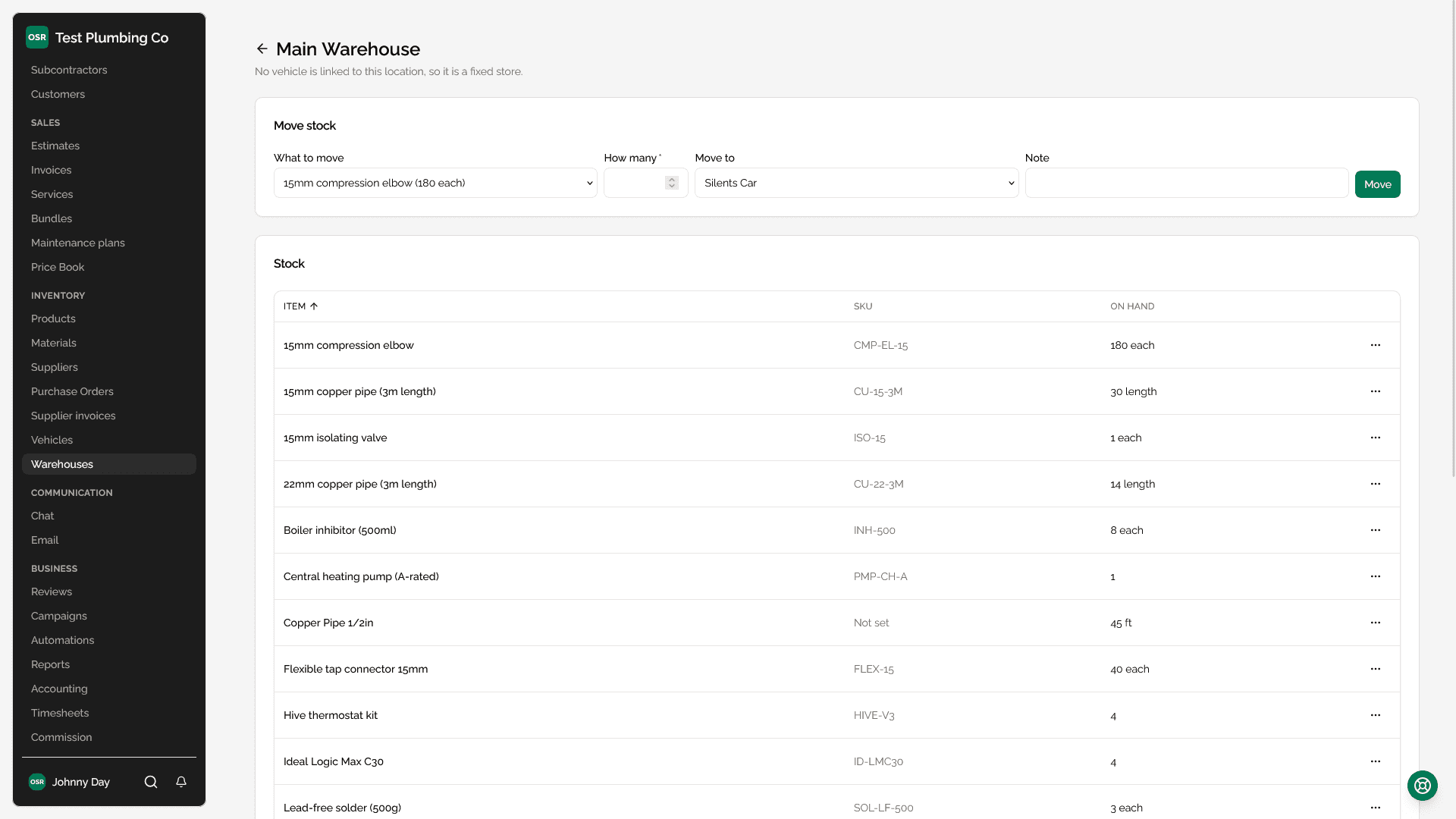
Materials and products are not just a number you hold — they are a number held somewhere. A warehouse is a fixed location; a vehicle is a moving one. Both carry their own stock levels, and moving stock between them is a transfer rather than an adjustment, so the total never changes by accident.
Your van
A technician assigned to a vehicle gets a "My van" entry in their navigation and a van stock widget on their dashboard. It is the stock they can actually reach today, which is the only stock figure that matters when they are standing at a job deciding whether they need to go to the supplier.
Using stock on a job
When a job records a material or product as used, the quantity comes off a specific location — the recorder's van if they have one, otherwise the default warehouse. The deduction and the usage record are written together, so a part cannot be logged as used without coming off somewhere.
Worth knowing
Reorder points and low stock
Each material or product can carry a reorder point. On the list pages, the quantity column draws a bar against twice that point — so sitting exactly on the reorder point is a half-full bar, and "nearly out" is a shape you can spot down the column rather than two numbers to compare. Items with no reorder point have nothing to be a share of and stay as plain text.
Barcodes
Items can hold a barcode, and the app can scan one with a phone camera to find the item rather than typing a code. This is most useful during a stock take or when receiving a purchase order.
Vehicle records
| What you can record | Notes |
|---|---|
| Assigned technician | Drives the My van shortcut and where used stock comes from. |
| Status | Active, in for service, off the road. Shown on the dispatch board. |
| Fuel log | Date, litres and cost, entered from the vehicle's own page. |
| Mileage log | Odometer readings over time. |
| Stock | What is on board right now, transferable to and from a warehouse. |
Each maintenance entry can record when the next service is due — by date, by mileage, or both — so a van's history also says what is coming rather than only what has happened.