Growing & automating
Automations
How a rule is put together
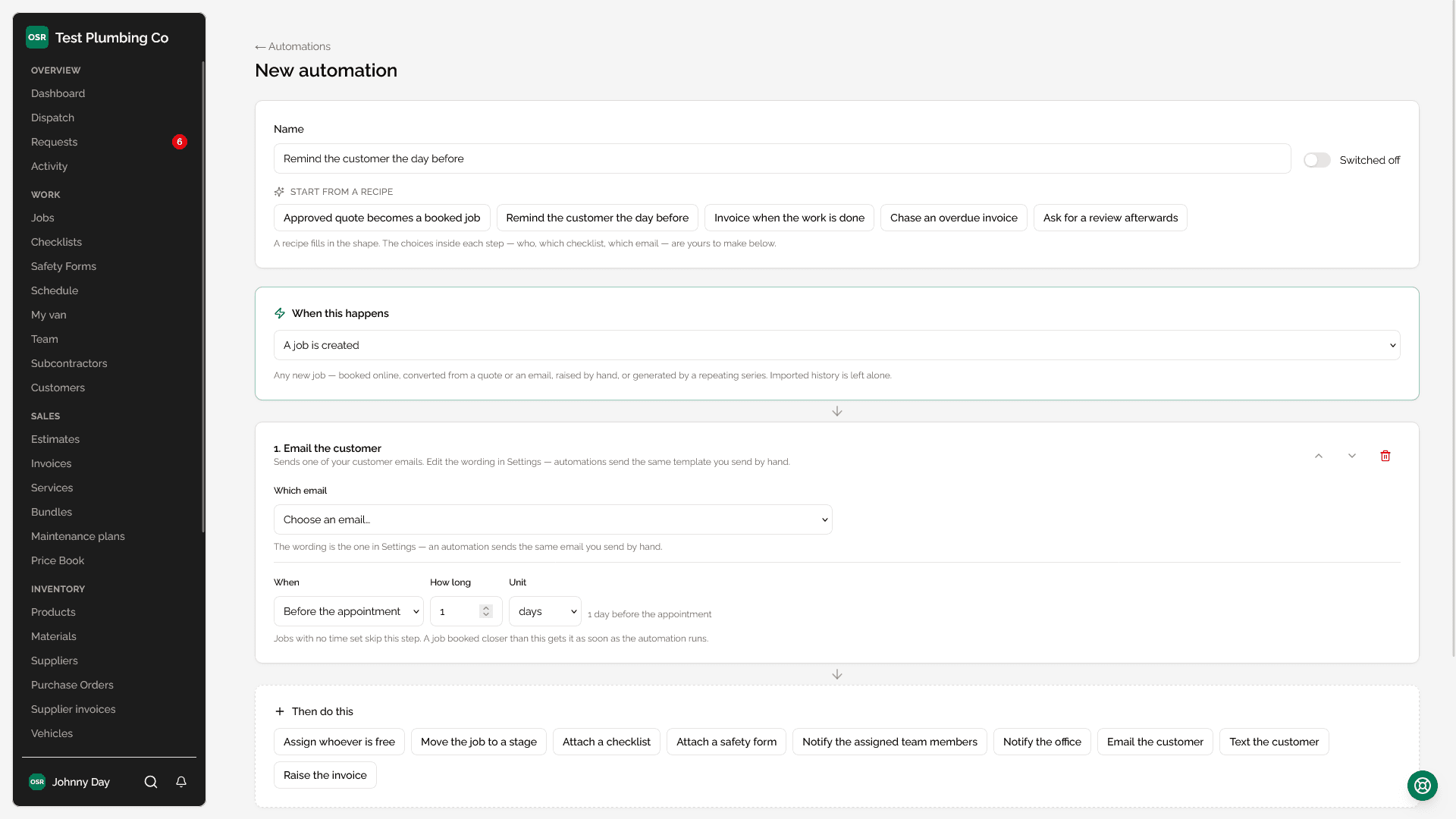
Every rule has one trigger and an ordered list of actions. The actions run in sequence and share what has happened so far, which is what makes a chain like “quote accepted → create the job → assign somebody → confirm it to the customer” a single rule rather than four rules each trying to work out what the last one did.
Triggers
| Trigger | Fires when |
|---|---|
| Estimate approved | A customer approves and signs an estimate from their portal. |
| Job created | Any job is created, however it was created. |
| Job stage changed | A job moves between workflow stages. You can narrow this to one stage. |
| Invoice paid | An invoice is settled. |
| Invoice overdue | An invoice passes its due date unpaid. |
| Customer created | A new customer record is added. |
Worth knowing
Actions
| Action | What it does |
|---|---|
| Create job from estimate | Turns the approved quote into a job. |
| Assign a team member | Picks from a pool of people — see below. |
| Set the job stage | Moves it along your workflow. |
| Attach a checklist | Adds a checklist template to the job. |
| Attach a safety form | Adds a safety form template to the job. |
| Notify the team | An in-app notification with your own title and message. |
| Notify whoever is assigned | The same, aimed at the people actually on the job. |
| Email the customer | Sends one of your email templates. |
| Create invoice from job | Raises the invoice from what the job recorded. |
Assigning to a pool, not a person
The assign action takes a list of people and how many of them to put on the job. That is the difference between an automation that helps and one you switch off in week two: a rule naming one technician will book them onto a job while they are on holiday. Given a pool, it picks somebody who is actually available.
Availability means the same thing here as everywhere else — approved time off, existing appointments and service capability all count. See Scheduling & Dispatch.
Delays
Each action runs immediately, after a delay, or before the appointment:
| Mode | Meaning |
|---|---|
| Immediately | As soon as the previous action finishes. |
| After N minutes | Counted from the moment the trigger fired. |
| N minutes before the appointment | Counted from the job's scheduled start, which is not the same thing. |
Worth knowing
The run log
Every run is recorded, step by step: what was done, what was skipped and why, and what failed and how. A rule that quietly stops working is worse than no rule, so the log names the step rather than reporting a rule-level pass or fail.
Steps keep a stable identity across edits of the rule, so reordering the actions does not silently repoint an old log entry at a different step.
What this does not do