Your people
Subcontractors
What a subcontractor is here
Somebody who does work for you but is not on your team: a specialist trade, an overflow crew, a one-off. They do not get a login and they do not appear in your team list or your scheduling timeline. What they do get is a record you can attach to jobs, so the money and the paperwork are in the same place as everything else.
Insurance and certifications
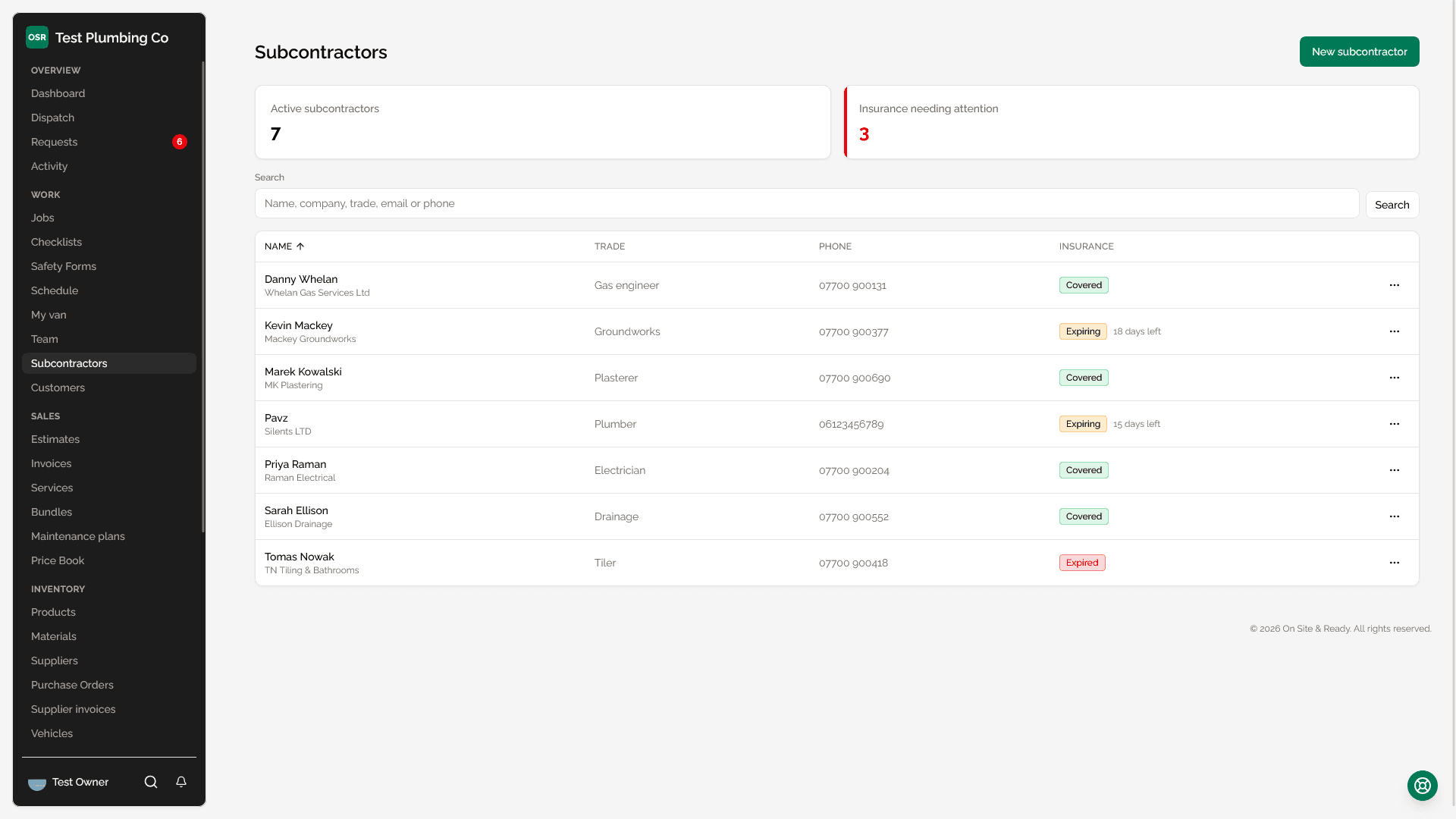
Each subcontractor holds an insurance expiry date and any certifications you record. The list flags the ones expiring or already expired, and the same count appears on your dashboard as the "Insurance to chase" widget, so it turns up in front of you rather than waiting to be looked for.
Worth knowing
Cost on a job
Assigning a subcontractor to a job records an agreed cost. That cost is a real cost line — it flows into job profitability and into the profit figure on your reports and dashboard, alongside materials and expenses.
What this does not do
| Field | What it does |
|---|---|
| Trade | What they do. Used to filter the list when you are looking for a specialist. |
| Agreed cost | Per job. Counts toward that job's costs and your overall profit. |
| Insurance expiry | Drives the expiring/expired flag on the list and the dashboard widget. |
| Certifications | Free-form record of tickets and qualifications, with expiry dates. |
| Active / inactive | Deactivate rather than delete to keep historic job costs intact. |
Reporting on them
Subcontractors are one of the sources in the custom report builder, so you can group and total them the same way as any other record. Their cost also appears in the job profitability list on the reports page, which is where a job that cost more than it earned shows up as a full bar rather than a number you have to compare.